

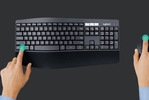



Logitech Options is a setup tool with which you can expand the capabilities of any mice, keyboards, and other Logitech peripherals you use. The tool, which has a very simple interface, allows you to redefine buttons, create custom gestures, sync settings between devices, and optimize the workflow in different apps to improve your productivity.
Customize your Logitech devices down to the millimeter
One of the most standout features of Logitech Options is the ability to remap buttons and keys to execute practically any action within the operating system or in specific apps. This means that you can transform a mouse button into a shortcut to open a tool, switch desktops, control media playback, or perform complex tasks with a single click. Additionally, the tool will allow you to adjust technical parameters such as cursor speed, scroll wheel behavior, or sensor sensitivity. First, however, you'll need to link everything to the tool, so you must have Bluetooth enabled. Once the app recognizes your peripherals, they will stay saved so you can make any adjustments you want without having to pair them again, and you can even return them to their default settings if you changed something you shouldn't have or simply want to undo all changes.
Smart gestures and advanced system controls
One of the most useful things about Logitech Options is its customizable gesture system that can expand the capabilities of compatible Logitech mice. By holding down a special button and moving the mouse in different directions, you can perform actions such as opening Mission Control, switching desktops, or controlling multimedia functions. This system mimics Apple computer trackpad gestures to some extent, but with the advantage of being fully configurable depending on the user's needs.
My thoughts on Logitech Options
Both my Logitech keyboard and my Logitech mouse connected very quickly, and although I wasn't expecting much from the tool other than managing my peripherals, I was very surprised by the number of things I could configure. Normally, peripherals end up underutilized because we have no idea what we can do with them, but tools like this help a lot to boost productivity and to get more out of devices we use every day.
The best and the worst of Logitech Options
• What I liked most is the enormous capacity for customization that it offers.
• What I liked least is that some advanced features depend on the compatible device model.
Download Logitech Options for free and get the most out of your Logitech peripherals.
Comments
There are no opinions about Logitech Options yet. Be the first! Comment